
I have a trip coming up and as part of it, I booked an award ticket using Cathay Pacific Asia Miles. I made a mistake when I booked it, and I wanted to run you through what happened, and how I managed to fix it for free. This had the possibility to ruin my trip (or at least be an expensive lesson), but I’m glad that it all worked out in the end.
Booking a Cathay Pacific Award Flight
I was looking for a flight between Manila Philippines and Tokyo Japan. Tokyo is the main focus of our trip, but we were open to exactly which other city (or cities) we were going to visit on our trip. We waited quite awhile to book our flights trying to find business class award availability, but in the end decided to book United premium economy to Manila (review upcoming). That meant we needed to get our way from Manila to Tokyo.
Many years ago, my wife and I both signed up for a Cathay Pacific credit card for a 50,000 mile bonus. Since then, we’ve looked for ways to use them but haven’t found one, and so I’ve randomly transferred Amex Membership Rewards points to our Cathay accounts every 18 months or so to keep them active.
This time, I found a oneworld partner flight from Manila to Tokyo on Japan Airlines.
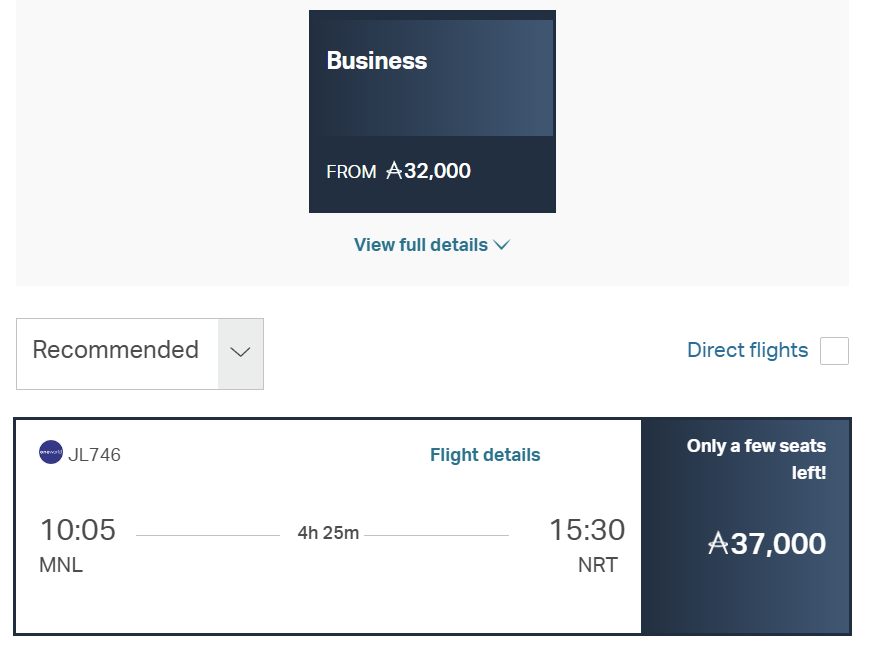
There was not economy available, and that’s a little more than I would ordinarily prefer to pay for a 4 hour flight but a) at least it’s “real” business class on a Boeing 787-800, and b) these miles are essentially worthless to me since I can never find a good use for them.
So I booked the flights. First, I booked my wife’s flight from her account. And then I booked my flight from my account.
The Big Problem
When I used the record locator to manage the trip and select a seat on my wife’s flight, it worked great. But then I tried to do the same thing with my flight, and JAL gave me an error message that they couldn’t find my flight.
And I found THAT I HAD BOOKED MY FLIGHT FOR THE WRONG DATE!
I’m not 100% sure how that happened. Maybe an issue with Sunday vs. Monday being the first day of the week. Or maybe just user error.
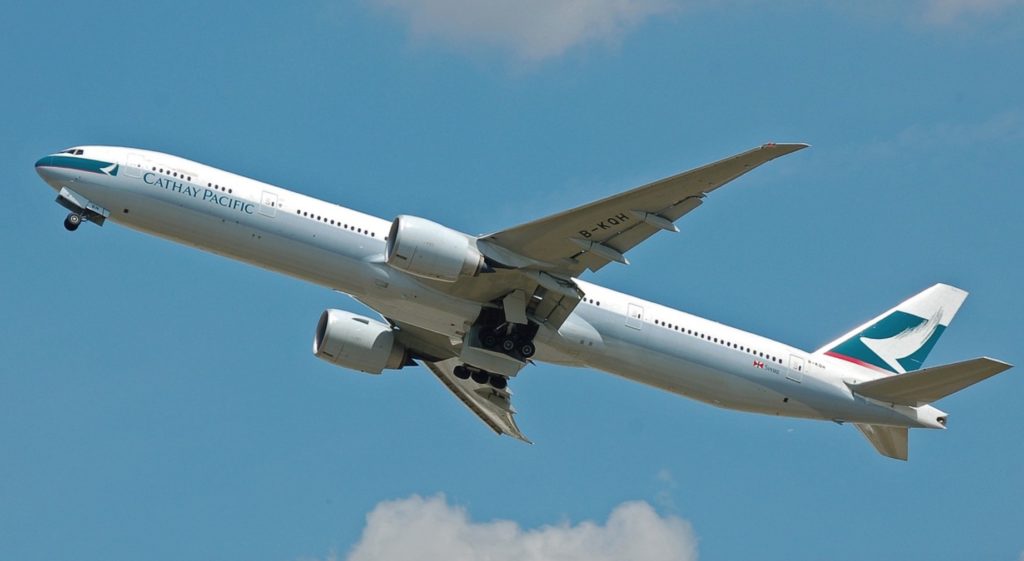
Cathay Pacific Change / Cancellation Policy
Unlike the US, where government rules state that you can cancel any flight within 24 hours for free, other countries do not have the same rules.
According to the Internet, Cathay does offer a 24-hour free cancellation applies for Cathay members booking directly via their website/app, but this option was not showing to me. Other than that, I thought that I would have to go off of the award flight cancellation policy, which says that flights can be cancelled, with fees of approximately USD 40 or 6,000 Asia Miles.
How I Changed My Cathay Pacific Flight For Free
Because the free cancellation was not working for me, I reached out to them via WhatsApp. First they tried to tell me changing the date would be USD50 or 7,500 miles per passenger, plus another USD40 fee for doing it with an agent
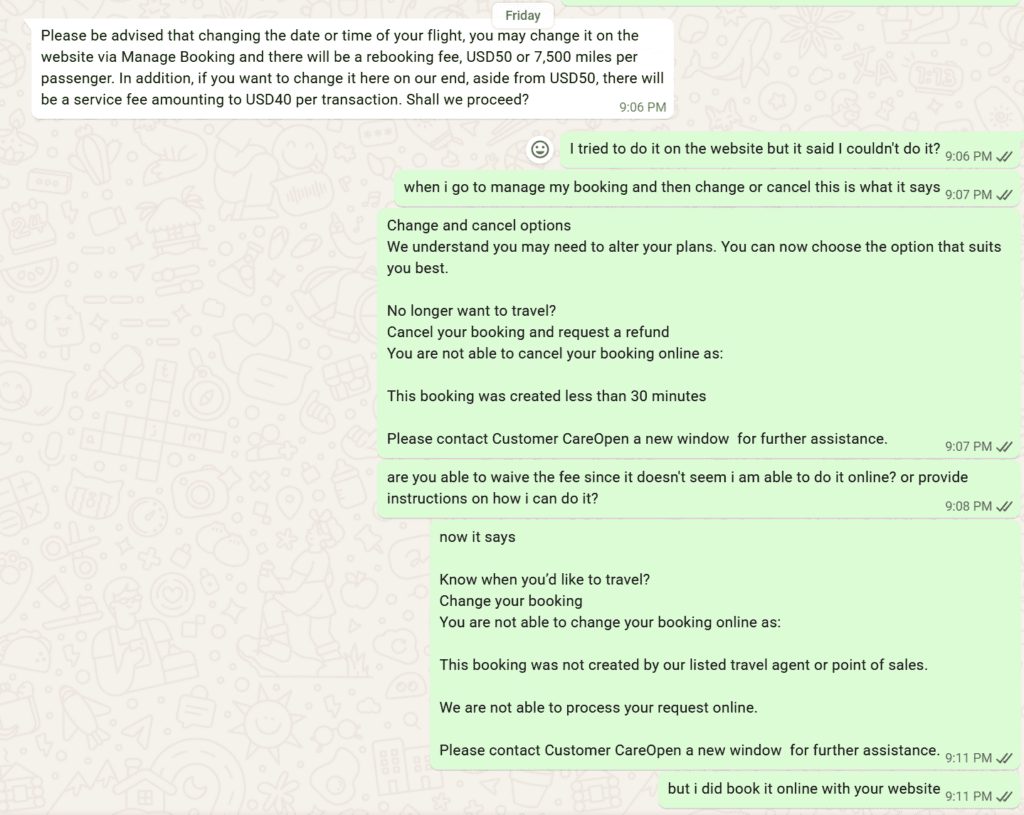
Eventually they agreed to waive the fees. It took forevvvvvvvvvvver but they finally were able to do it. Almost.
They couldn’t just change the date for some reason that didn’t make sense to me. Instead, they canceled my existing booking and booked a new one. But they couldn’t ticket my new (correct) flight until the miles went back into my account. So it was just on hold in my account.
This was (late) on a Friday night. The next morning, I checked my account and the miles were back in my account. I reached back out via WhatsApp and started the process to confirm my ticket. It was going well until the agent somehow disappeared off of WhatsApp
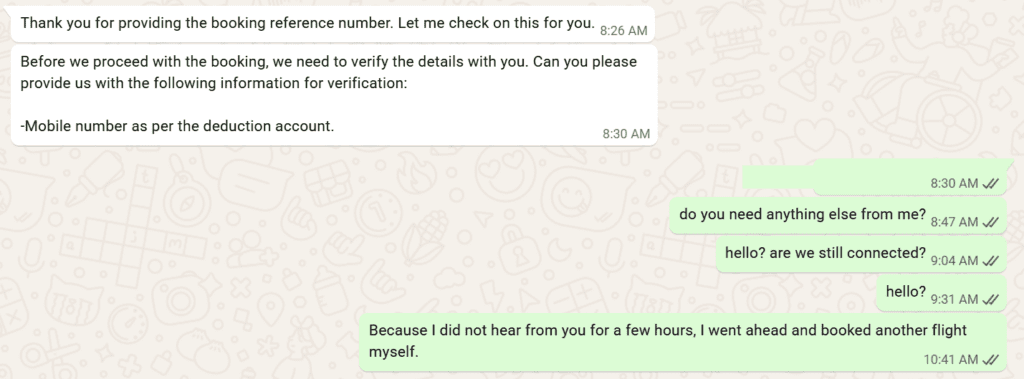
Since the miles were back in my account. I just went ahead and booked a new flight. When I told the agent this, then a new agent showed up and he was able to cancel my duplicate ticket that was still on hold.
The Bottom Line
So all turned out well in the end. I was able to cancel and change my Cathay Pacific award flight, even after making a potentially disastrous mistake when booking the ticket, booking it for the wrong day.
Have you ever booked a flight for the wrong date? Or had to change or cancel a Cathay Pacific flight? Leave your experience in the comments below

This site is part of an affiliate sales network and receives compensation for sending traffic to partner sites, such as thepointsguy.com. This may impact how and where links appear on this site. Responses are not provided or commissioned by the bank advertiser. Some or all of the card offers that appear on the website are from advertisers and that compensation may impact on how and where card products appear on the site. Any opinions expressed in this post are my own, and have not been reviewed, approved, or endorsed by my advertising partners and I do not include all card companies, or all available card offers. Terms apply to American Express benefits and offers and other offers and benefits listed on this page. Enrollment may be required for select American Express benefits and offers. Visit americanexpress.com to learn more. Other links on this page may also pay me a commission - as always, thanks for your support if you use them
User Generated Content Disclosure: Points With a Crew encourages constructive discussions, comments, and questions. Responses are not provided by or commissioned by any bank advertisers. These responses have not been reviewed, approved, or endorsed by the bank advertiser. It is not the responsibility of the bank advertiser to respond to comments.
 Dan Miller travels with his wife and 6 (SIX!) children. He loves to help families travel for free / cheap, especially larger families. If you are looking for help, drop him an email at
Recent Comments